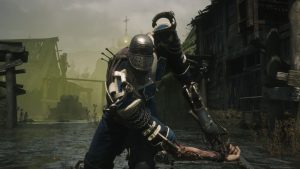


Sword Art Online’s newest game, Echoes of Aincrad, is here and taking the world by storm. It’s a full-priced premium title set in the vast world of Aincrad, inviting players to create a character, master combat mechanics, and level up as they embark on a wild adventure.
However, one core element of the game has players confused: how to save your game in Echoes of Aincrad. There’s an auto-save mechanic, but how can you manually save to make sure you’re not losing all your progress, especially in the challenging Death Game Mode, which features permadeath?
How to Manually Save in Echoes of Aincrad
As you explore Echoes of Aincrad, you’ll find that the game periodically saves your progress automatically, so you’re not going to lose anything too drastic. It’s a basic checkpoint system that typically relies on entering and exiting safe areas of the game.
To manually save in Echoes of Aincrad, you’ll need to bring up the pause menu, scroll to the last tab on the right, and click ‘save’.
Now, to the Death Game Mode.
In Death Game Mode, you get no respawns and no second chances, which, as fans will understand, is a core principle in Sword Art Online. Once you complete Echoes of Aincrad once, you’ll be able to go again with Death Game enabled, but there’s a huge catch: you cannot protect your saves if you die.
That means that, while you can manually save and while there is an auto-save mechanic in Death Game, you will lose all your progress if you die. There’s no recovering your data; it’s that simple.
You’ll be safe enough relying on the checkpoint system and auto-save functions in Echoes of Aincrad, but if you want extra security, be sure to hit that menu button, flick to the right, and press ‘save’ to give yourself the strongest peace of mind.
Are you playing Echoes of Aincrad? Let us know if you’re enjoying it on the Insider Gaming Discord server.
For more Insider Gaming coverage, check out how to unlock the Azimuth Outfit in ARC Raiders, and for even more Insider Gaming delivered directly to your inbox, sign up for our newsletter

Grant has been gaming for 30+ years and in the industry for 10+. You'll probably find him playing a post-apocalyptic game or an extraction shooter somewhere.
More from Grant Taylor-Hill