
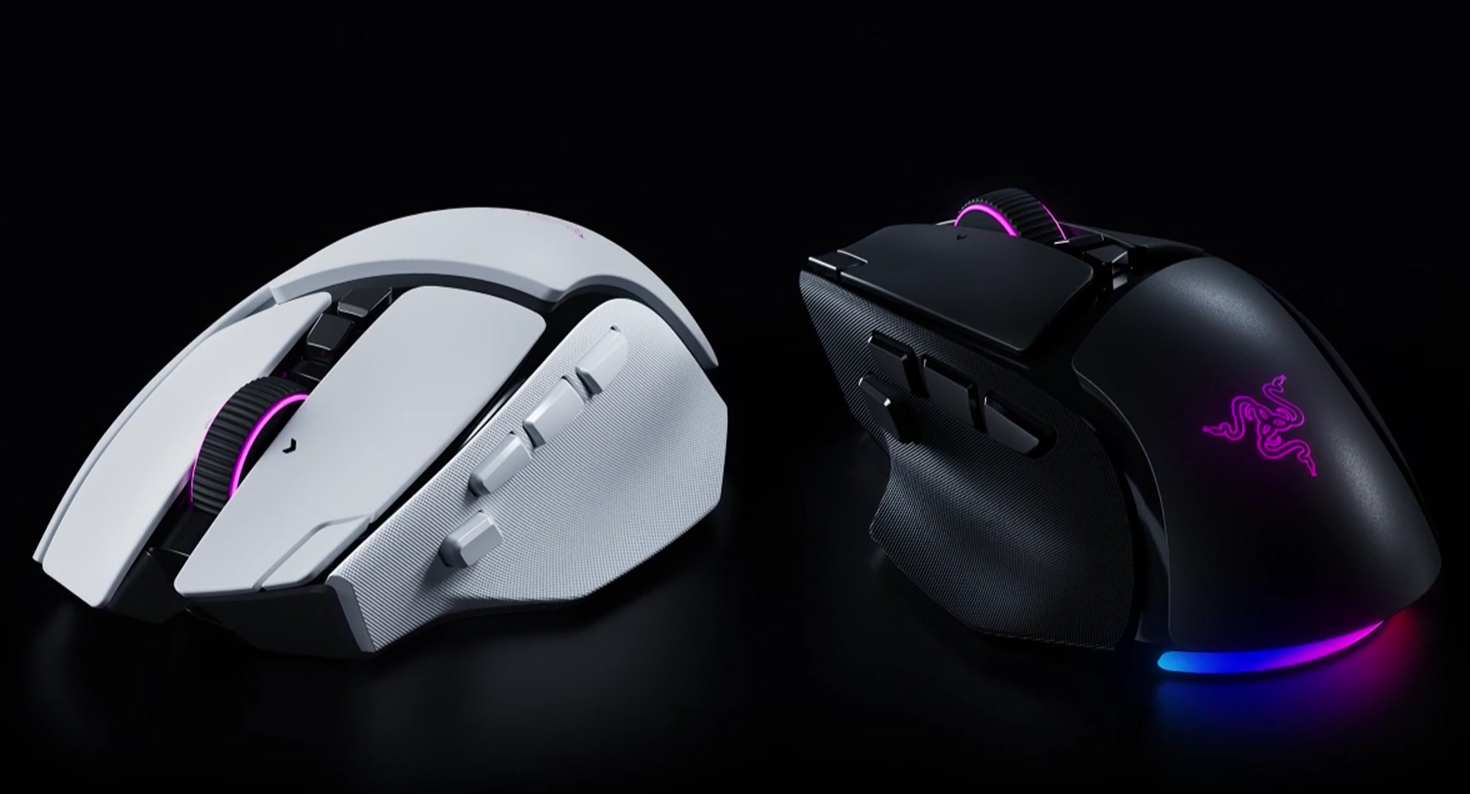

I’ve been toying with the new Razer Basilisk V4 Pro, a seriously slick mouse aimed at the most passionate, professional gamers out there. It’s a no-holds-barred thing that has a phenomenal form factor, a dizzying array of inputs, and cutting-edge technology, fresh from the boffins at Razer’s R&D labs.
Unfortunately, it’s being plagued online because some folks think it’s a ‘cheat device’, all because of one core feature. There’s a single button on the Razer Basilisk V4 Pro that, when pressed, executes an instant 180-degree turn, but it depends entirely on your base sensitivity settings.
Let’s get into the full Razer Basilisk V4 Pro review to see what we’re saying.
Razer Basilisk V4 Pro is Batman’s Utility Belt of a Mouse
The Razer Basilisk V4 Pro does everything you could hope a gaming mouse would do. It’s mind-boggling how much Razer has managed to pack under (or on) the hood of this thing, but that’s probably why it starts at $169.99. It’s one of the most expensive mainstream gaming mice on the market right now, but let me walk you through why that is.
First off, it looks (and feels) gorgeous. You’ve got the classic Basilisk form and shape with attractive RGB elements, a comfortable rubber thumb rest, Razer’s new tilt wheel, and a great mix of matte and gloss plastics that keep catching your eye.
I think I marveled at this mouse for a good two minutes when I unboxed it.
It’s incredibly attractive, and out of the box, you’ve got a wealth of features. The Basilisk V4 Pro has all the standard features of your average gaming mouse, but it also has 14 customizable inputs, an ‘AI Prompt Master’ button, the patented Hypershift clutch, the controversial ‘Perfect 180’ button, and seven-zone Razer Chroma RGB capabilities, covering both the shell and the new scroll wheel.
Is that Perfect 180 button an illegal move? Folks think so in those pesky social media spaces. Basically, if you have lower sensitivity, you can make it so this button, at a single press, spins you around on a dime to face whatever is behind you. Which, yeah, it feels like cheating, but that’s for powers higher than me to determine.
It’s a right-handed, premium mouse with a heavy form factor (at 100 grams), and it’s not exactly going to be used by esports pro players, but the potential for it to stun general gaming audiences is unparalleled.
Razer has dubbed it the ‘apex of immersion and customization’, and let me tell you… They’re not lying.
The ‘Tilt Wheel Gen-2’ offers four ways to interact with a simple thing that has existed on these peripherals since the 1990s. The new Razer Focus Pro sensor accommodates 50,000 dpi, 930 IPS, and 90G acceleration, supported by the firm’s Frame Sync technology. At this point, I’m wondering when extremely fast becomes too fast. These devices are just too capable!
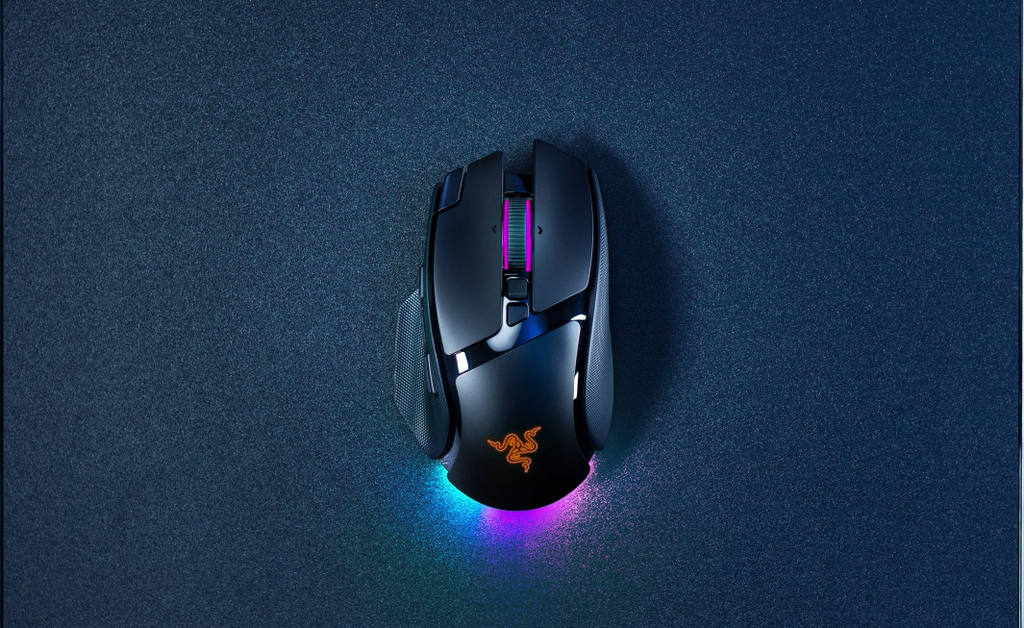
If you’re the kind of player who wants monster sessions, you’ll love that the mouse lasts a whopping 200 hours, and Razer’s enhanced HyperPolling technology now both boosts wireless efficiency and cuts latency.
I’ll stress that I’ve had the Basilisk V4 Pro on test for almost a week, and I’ve not actually charged it yet.
When you pair it with Synapse, the customization elements run wild, and Chroma lets you mess around with that RGB to no end. If you’ve got a full Razer suite, it’ll blend right in.
Before this arrived at my door, I was using a Logitech G502 X PLUS, which is effectively the Razer Basilisk V4 Pro, so the transition was perfect, and I’m happy it happened!
RELATED: Logitech PRO X3 SUPERSTRIKE Review
The only downside I can name to the Basilisk V4 Pro is that price point, which will deflect a lot of gamers towards something more affordable. But if you want the best, you need to pay the price. I’m also not a fan of the little button on the side of the left-click input, which Razer calls the ‘Cycle Up Profile’ button.
If you have a wider finger spread on your mouse, you’ll find yourself pressing this accidentally, and it has a relatively soft touch, which means you might not notice you’ve pressed it.
Do you think the Razer V4 Basilisk is your kind of mouse? Let us know your thoughts on the Insider Gaming Discord server.
For more Insider Gaming coverage, check out our review of the Razer Naga V3 Pro, and don’t forget to sign up for our newsletter

Grant has been gaming for 30+ years and in the industry for 10+. You'll probably find him playing a post-apocalyptic game or an extraction shooter somewhere.
More from Grant Taylor-Hill