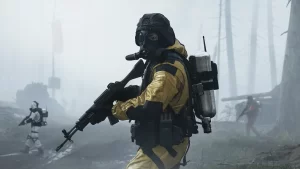
Fans around the world have been patiently waiting for Marathon to arrive, but before it does, Bungie has released the Server Slam Playtest. Although its main goal is to test the server’s stability ahead of Marathon’s full release, the Server Slam Playtest is a great introduction to the game, offering tons of early game content for fans to dive into.
However, that doesn’t mean there won’t be bumps in the road, and some fans have noted difficulties trying to jump into the Marathon action. If you’re one of the struggling few who’ve run into the ‘Currant’ Error Code, here’s what it means and how to fix it.
Are The Marathon Server Slam Playtest Servers Working Right Now?
As of February 26, the servers are up and running, as they’re working as intended for the majority of the player base, though it might take you some time to log in.
- More Insider Gaming: Every Marathon Runner Shell
Launch day for any new online title is always bound to present some server instabilities, as the game finds it feet and copes with the sudden surge of players. However, that doesn’t make it any less frustrating if you’re finally ready to play the game, only for the servers to let you down.
Thankfully, it seems that for the most part, the Marathon Server Slam Playtest servers are operational, though some errors are popping up, namely the ‘Currant’ Error Code. If you’ve been unlucky enough to see it, here’s what it means.
‘Currant’ Error Code In Marathon Server Slam Playtest, Explained

If you’re trying to log in to the Marathon Server Slam Playtest and you’re seeing the ‘Currant’ Error Code, it could be for one of two reasons: potential connection issues on your end, or Bungie’s unstable servers.
As was the case going into the Server Slam Playtest, Bungie were aware that there’d be teething issues, and some have cropped up already. The ‘Currant’ Error Code appears to be the most commonly seen error, and Bungie claim it’s to do with your network status.
According to the devs, the first step you should take is to ensure that your current connection is working as intended, so double-check your Wi-Fi and make sure it’s all up to speed. If you’re still seeing the issue, then you’ll want to run through some Network Troubleshooting.
- More Insider Gaming: Bungie Outlines Plans To Counter Cheaters In Marathon
However, there’s just as good a chance that the issue lies with Bungie and its servers. The whole purpose of the Server Slam Playtest was to stress test the servers before launch, and it was widely acknowledged that issues were likely to show up. Well, low and behold, they have shown up, and the ‘Currant’ Error Code is just as likely to be a server-based issue, and nothing to do with your network.
Users online have reported that a quick fix to the issue is the good old restart, but even that’s not guaranteed to solve the problem. It might just be a case of waiting it out and trying again soon, with the Server Slam expecting high amounts of players—this is likely affecting connectivity issues.
Are you having trouble connecting to the Marathon Server Slam Playtest servers? Share your thoughts and get troubleshooting help over at the official Insider Gaming Discord Server.
For more Marathon content, check out how to earn Twitch Drops, as well as whether it’s crossplay.

Charlie is one of Insider Gaming's Guides Writers who's been in the gaming industry for a little over a year. Unfortunately for him, he enjoys every video game genre out…
More from Charlie Champion