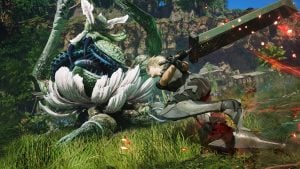


The Subnautica 2 early access update 1.1, Adaptive Measures, went live today, bringing players new flinch and stun reactions for creatures, among other things.
The 1.1 update for Subnautica 2 is now live, introducing several new features for players. The developers have also announced that the upcoming 1.2 update will include proximity chat, player revive functionality, and enhanced multiplayer features. Later this year, players can expect the Early Access 2 update, which will bring a wealth of new content, including a new region, creatures, vehicle chassis, progression elements, story, and more. For now, let’s focus on the changes included in the 1.1 update.
What’s New in Subnautica 2 Update 1.1: Adaptive Measures
The developers have announced the new features in update 1.1, titled “Adaptive Measures,” for Subnautica 2. One of the significant changes involves creature reactions. Most creatures now flinch and show a visible response before fleeing when struck by the survival multi-tool. Additionally, the developers have enhanced the Sonic Resonator by adding stun states to several creatures when they are hit with this weapon.
The game has introduced changes to Blight Encounters, enhancing the transition between passive and aggressive states. There are also new gameplay improvements for Wrecks, which now include additional puzzle-solving elements. New BioLabs have been added in the early game, allowing players to find and swap out more Biomod options.
Additionally, a new tool becomes available in the later stages of the game, allowing players to scan creatures and unlock more Biomod slots. For further details, including additional additions and bug fixes, please refer to the patch notes below:
- More Insider Gaming: Subnautica CEO Resigns as Krafton Agrees to Pay ‘Significant’ Compensation to Entire Staff
All Subnautica 2 Update 1.1 Patch Notes
Gameplay
- Smoothed out Biomod progression throughout the early game to give players more opportunities to discover and use the Biomod system.
- Added two more Biolabs, one in Coral Gardens and one in Axum Ruins.
- Players can now unlock a total of six Biomods from Biolabs found throughout the world, up from four previously.
- Players can now unlock additional passive Biomod slots by scanning creatures with the Bioscanner.
- Players can now see the number of scans required for each slot unlock and their total number of Bioscans.
- Creative mode now unlocks all Biomods by default.
- Added unlock badges to display newly unlocked items in the Biolab.
- Improved the wreck exploration experience with additional traversal and oxygen puzzles.
- Ensured visual language on doors and buttons is more consistent throughout wreck interiors.
- Moved and added rewards to reflect the various puzzle changes better.
- Applied general cleanup, visual adjustments, and standardization across wreck environments.
- Players are now able to sprint when out of the water, either on the surface or in their base.
- Added default sprint mapping to allow players to remap sprint in settings.
- Reduced default walk speed to balance with the new sprint speed.
Fauna & Flora
- Added proper fleeing behaviour for most creatures when attacked by the Survival Multitool, preventing retaliation except defensively for a period afterward.
- Added a brief dizzy state for most creatures after being hit by the Sonic Resonator, preventing retaliation except defensively for a period afterward.
- Improved particle fish grouping when swimming in groups.
- Added missing scan data icon for Periscopic Clowncrab.
- Added missing scan data icon for Necrolei.
- Revised the Creature Naming and Discovery System to align with the previous game.
- Improved Bloom Parasite behavior implementation and made it the primary encounter creature.
- Balanced the Bloom encounter in Coral Gardens and Ruins areas to better align with game progression.
Resources
- Adjusted several resources to ensure they have the correct Resonatable and Breakable data.
- Applied additional Silver updates in Coral Gardens.
- Added a Silver hint dialogue line when near Silver areas.
Base Building
- Increased the max deconstruct size of bases.
- Addressed user experience issues with the Vehicle Dock and Fabricator to improve placement ease and clarity when the build area is obstructed or docking is unavailable.
- Changed the placement of the Vehicle Dock and Fabricator to fit into smaller rooms and align with hatches and other base elements.
- Reduced the size of the Vehicle Dock platform and rails to require less space during placement.
- Improved the readability of placement ghosts when positioned behind objects or intersecting the water surface.
- Added additional feedback messages to clarify when the Moonpool needs to be enlarged for vehicle fabrication or docking.
- Added a new storage base buildable that does not contribute to nearby crafting systems, allowing stored items to be excluded from recipe completion.
Menus & UI
- Added a FOV slider to Settings.
- Added a Discord and support site button to the Main Menu.
- Reorganized databank entries, with further UI visual and layout changes planned for a future update.
Art & Visual FX
- Created a new art asset for the storage cache, with previous in-game unlocks updated to use the new asset.
- Added the World Tree Relic decoration (seen in the trailer) as a buildable item.
- VFX indicating which objects are blocking deconstruction and building are now visible through walls.
Animation
- Improved third-person animation for players when on land.
- Added eye blink and eye tracking for players.
Voice & Narrative
- Audiologs no longer auto-play, reducing confusion, especially in multiplayer, where different players could trigger them for everyone. Unlocked audiologs now provide a notification only and are added to the PDA, where players can replay them at any time. Replayed audiologs play only for the individual player and continue playing even after the PDA is closed.
- Improved the dialogue priority system to better determine which audio plays depending on context, ensuring higher priority callouts take precedence and preventing multiple audio lines from playing simultaneously. Additional improvements to the priority system are planned for future updates.
- Applied updates for text and voice-over mismatches.
- Added a temporary radio sound effect to the new voice-over line related to Silver, with final voice-over coming in a future update.
Music & SFX
- Added music to the Lifepod cutscene.
Miscellaneous
- Updated the save system to handle previously unlocked Biomods.
- Improved performance and stability of the Lifepod ride.
- Added a notice screen on Xbox for non-Game Pass subscribers when attempting to enter the multiplayer menu or join an online session, as a Game Pass subscription (any tier) is required to play multiplayer.
- Added an option on Xbox to report other users in multiplayer.
- Revised What Information Do We Collect and How We Share Your Information sections in the Privacy Policy
- This revision covers how we are planning to process voice data for the upcoming Proximity Chat feature in the next update (EA 1.2)
Bug Fixes
- Fixed a potential crash when exiting from the Main Menu.
- Fixed a crash when loading a save from a previous game version.
- Fixed an issue where gaming laptops with an Nvidia GPU would be capped at 60 FPS.
- Fixed dashing-related activities on the water surface generating excessive particles that impacted performance.
- Fixed cutting Macaron Sponge and breaking Cage Gorgon releasing unnatural particles that impacted performance.
- Fixed performance degradation over time when playing in the Metal Farms area of the map.
- Fixed Tadpole destruction and spawning being overly performance costly
- Improved performance related to character animation.
- Applied additional performance improvements related to collision checks and gameplay errors.
- Fixed an issue where flickering lights could be seen in foggy areas of caves.
- Fixed TSR min and max sliders displaying incorrect values on first interaction in settings.
- Fixed non-graphic setting changes being applied instantly when leaving or switching tabs without confirmation.
- Fixed sharp shadows on gameplay light sources, such as the Scout Ray and Haul Chassis, to produce soft shadows at a distance.
- Fixed waterline post-process colouring failing to activate at night.
- Fixed an issue where fish would sometimes get stuck in place.
- Fixed Periscopic Clowncrab behaving unnaturally and despawning after being hit with the Sonic Resonator.
- Fixed Sandspear behaviour when unburied, requiring players to approach multiple times before it correctly initiated an attack.
- Fixed Flash Slug being listed in an incorrect databank category.
- Fixed an issue where collecting one of Wu’s blackboxes before triggering the NOA prompt for that blackbox caused the blackbox to permanently display a signal.
- Fixed zone overlap checks being inconsistent, which could prevent the game from recognizing a player as correctly being in a room or near an object.
- Fixed the Large Power Plant not fully glowing upon scanning.
- Fixed the Sonic Resonator missing its looping resonate VFX and audio.
- Fixed some items being incorrectly placed in the player’s hand.
- Fixed the Fabricator displaying as closed when interacted with from a distance.
- Fixed the Dive Elevator occasionally failing to extend.
- Fixed the lit Survival Flare being holstered when interacting with an Adaptation core. It is now discarded instead.
- Adjusted the position of a current that could cause player traversal issues, where the player would bump into physics and become stuck.
- Fixed gameplay being un-pausable while certain menus were open in single player.
- Fixed Water Bottles reappearing in the crate after saving and loading the game.
- Fixed missing collision between the Scout Ray Chassis fin and the character model.
- Fixed player tools clipping into the wall mount on the back of the Tadpole.
- Fixed the Tadpole spawning with zeroed rotation when created with the Vehicle Fabricator.
- Fixed docked Tadpole shifting position after loading a save or after traveling far away and then returning.
- Fixed Tadpole becoming uncontrollable for a player after picking up dropped equipment.
- Fixed the PDA not reacting immediately after interacting with the Cicada dive suit in the starting area.
- Fixed the Welcome Center’s NOA message log audio overlapping with audio from other dialogue sources.
- Fixed several audiologs appearing non-functional after collection, if you traveled away from the collection location and then came back.
- Fixed players occasionally being unable to launch the Lifepod in the starting area.
- Fixed an issue where pressing F8 to open the feedback menu during the Lifepod cutscene caused a game softlock.
- Fixed players jumping during the Lifepod cutscene causing them to remain in the starting area after it ended.
- Fixed the Lifepod cutscene not playing correctly or heavily stuttering for some players
- Fixed the Lifepod launch softlocking when the cutscene video file was deleted.
- Fixed Starving, Dehydration, and Dying effects triggering during the cutscene.
- Fixed the NOA Terminal being interactable from outside the Lifepod.
- Fixed several scannable items being difficult to scan.
- Fixed the Spotlight object in Tadpole Pens not being scannable.
- Fixed an Advanced Battery part at a specific location not being scannable.
- Fixed regular resource nodes incorrectly displaying a “Requires Sonic Resonator” tooltip.
- Fixed players being unable to scan Bloom Sap using the Scanner tool.
- Fixed Silver nook resource pickups using outdated logic and art.
- Fixed two Copper nodes overlapping each other inside the cave near the Old Habitat.
- Fixed a missing PDA notification pop-up upon scanning Troilite.
- Fixed the Sulfur resource not being detected by the Scanner Station in one of the Heat Zones in the Overgrown Ruins.
- Fixed a Quartz Crystal node on top of the broken piece of Coral Dome in the Shallows area not being gatherable.
- Fixed an issue where the Shiver Leviathan wouldn’t attack non-host players in a multiplayer game.
- Fixed a Water Slug being unpickable due to Feather Kelp being placed in the same spot under the Lifepod cave.
- Fixed fish randomly becoming stuck in one position and unable to be picked up.
- Fixed several Freesia Flowers being misplaced in the Overgrown Ruins area.
- Fixed Jellies and Surge Jelly sharing the same image in the Databank.
- Fixed Lucifer Rotsac’s databank entry being listed under the Tunics section instead of Rotsacs.
- Fixed an issue where placing a Macaron Sponge in a Growbed would cause network issues for non-host players.
- Fixed players without Pressure Tolerance being able to pass through the starting area scan if the Host with the Adaptation was scanned alone, causing issues for those players once on the surface.
- Fixed players appearing to float in the Awakening room when joining a multiplayer game.
- Fixed Growbed Freesia Flower size displaying incorrectly for players after rebooting the game.
- Fixed players seeing Tadpole props and bubble effects as if the Tadpole was moving while it was docked.
- Fixed an issue where clicking an item in the builder menu would scroll to center it instead of selecting it.
- Fixed an issue where, when two bases were connected by a Power Transmitter and the player saved and then loaded the game, one of the bases’ power displays would stop displaying accurate information.
- Fixed an issue where Growbeds placed on top of a base sometimes couldn’t be deconstructed.
- Fixed an issue where the Collector would sometimes cause base pieces to construct instead of deconstruct when colliding with “ghost” pieces.
- Fixed an issue where VFX indicating construction/deconstruction blockages didn’t show in some circumstances.
- Fixed an issue where base pieces couldn’t be deconstructed even after all attachments had been removed.
- Fixed Sea Moth decorative model’s name sometimes being rendered incorrectly.
- Fixed the selection area of Main Menu buttons being offset slightly from the buttons’ visible area.
- Fixed several Blackbox signals being deleted after retrieving them.
- Fixed signal textbox focus being lost when another player edited the signal.
- Fixed inconsistent coloring of Save Game Mode text between Save slots and the Create New Game page.
- Fixed keyboard input not being recognized after selecting a text field with a controller.
- Fixed icons remaining visible during the respawn black screen and after reprinting.
- Fixed UI options in Settings menus appearing misaligned.
- Fixed language changes not being reflected in the language option text box.
- Fixed Battery Terminal unlock progress being missing from the In Progress category after scanning its first part.
- Fixed the progress bar for downloading a Cloud Save Game being hidden on subsequent downloads.
- Fixed collapsed Blueprint categories expanding again when switching menus in the Fabricator and Builder tool.
- Fixed the close prompt not displaying the prompt key in the Report User Content window.
- Fixed specific text appearing at an inconsistent size compared to other elements in the Habitat Builder tool.
- Fixed Underwater Blur being enabled, even when toggled off in Settings.
- Fixed jittery movement when scrolling through Settings menu on handheld devices and controllers.
- Fixed an issue where handheld devices would display mouse-and-keyboard input buttons when first launched.
- Fixed an issue where Profanity Filter setting would default to On at the start of each game session.
- Fixed players being unable to unpin Biomod recipes once unlocked.
- Fixed the Camouflage Biomod not working correctly when stationary on the surface of the water or attached to a Tadpole.
- Fixed Biomod icon borders not displaying correctly.
- Fixed the player character animation displaying incorrectly when swimming above assets placed close to the water surface.
- Fixed some Axum logogram translations not being correctly capitalized in certain languages.
- Fixed “Pin Recipe” text overrunning the text field in certain languages.
- Fixed incorrect translation of the prompt when loading a multiplayer game save in certain languages.
- Fixed an issue where keybindings in some languages were truncated.
- Fixed an issue where character names were cut off in some languages.
- Fixed keybind icons not displaying correctly on the Windows Store platform.
All patch notes for the latest update were found through Subnautica 2’s latest Steam post.
What are your thoughts on Subnautica 2 update 1.1 Adaptive Measures? Leave your thoughts down in the comments, and join the official Insider Gaming Discord server.
For more information from Insider Gaming, read about Tarkov meets Fallout MMO facing bankruptcy. Don’t forget to sign up for our weekly newsletter.