






Rockstar Games has published a new article on the Rockstar Newswire that confirms two major XBOX-related points about the upcoming launch of Grand Theft Auto 6. First, they confirmed it will be available on XBOX Cloud Gaming, which makes it playable on XBOX One, and second, it’ll be coming to XBOX Remote Play, which means you can technically play on PC.
It was stressed that there’s a pretty big caveat, and that’s that you can play the game via XBOX Cloud Gaming on XBOX Series X consoles, but it’ll be utilizing XBOX Series S graphics settings.
Multi-Platform Madness
Rockstar Games has confirmed that Grand Theft Auto 6, which launches next week, will be accessible via the XBOX Cloud Gaming service. This is available as part of the Game Pass subscription ecosystem, and it means that you’ll be able to stream the game to XBOX Series X|S consoles and, amazingly, XBOX One consoles. This brings last-generation platforms into the equation.
The game will also support Remote Play on both XBOX and PlayStation platforms, which means you’ll be able to stream the game to other devices.
In XBOX’s case, that means you could theoretically stream the game to a PC. Which, technically, makes it playable on PC, even if it’s via a streaming solution linked to your XBOX platform. It’s far from being a native PC version, but it’s something.
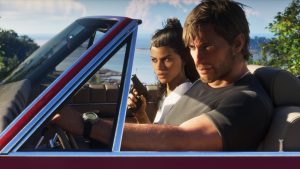
Earlier today, Rockstar Games and PlayStation released a new GTA 6 trailer to celebrate the beginning of the pre-load window, which will run for the next week to allow players to get ready for the launch.
How to Play GTA 6 on PC
As I said, you can technically play GTA 6 on a PC or laptop using the Remote Play function.
Here’s how it works:
1. Configure Your XBOX Console
- Turn on your Xbox and press the XBOX button to open the guide.
- Go to Profile & system > Settings > Devices & connections > Remote features.
- Check the box for Enable remote features.
- Under Power options, change the power mode to Sleep (so the console can wake up remotely) rather than full shutdown.
2. Set Up Your PC
- Open the Microsoft Store on your Windows PC and install the XBOX app.
- Sign in to the Xbox app using the same Microsoft/XBOX account logged into your console.
- Click your profile icon in the top-left corner, go to Where I Play, and select Add a Console (or click the console icon/streaming button near your profile).
- Follow the prompt to pair or enable the console.
- Once your XBOX appears in the app, click the three dots next to your console name and select Remote Play, or click the console streaming icon to launch your dashboard.
- Provided you own Grand Theft Auto 6, simply boot the app and play the game in the Remote Play system.
Are you going to use a cloud system to play GTA 6? Let us know your thoughts on the Insider Gaming Discord server.
For more Insider Gaming coverage, check out the news that GTA 6 might be the most pre-ordered game ever, and don’t forget to sign up for our free weekly newsletter

Grant has been gaming for 30+ years and in the industry for 10+. You'll probably find him playing a post-apocalyptic game or an extraction shooter somewhere.
More from Grant Taylor-Hill


Comments