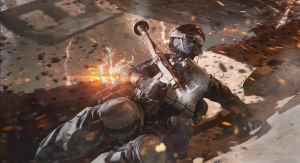
Hytale developers have released a hotfix to address the most critical launch issues, including connectivity, stability, launcher, and services-related problems.
Hypixel Studios seems to be experiencing a spectacular early access launch for Hytale, with the founder confirming that the game has secured development costs for the next 2 years with prepurchases. However, the game is still in early access and needs some major fixes, and the developers have already released a hotfix to address them.
What’s New in Hytale Hotfix Update?
Hytale’s current hotfix focuses on resolving the most critical issues reported since the game’s launch. Additional fixes and less urgent concerns will be addressed in future patches. Regarding connectivity, a message will now appear after the server starts if authentication is needed. Additionally, clients will switch to offline mode if their server becomes invalid.
Several stability issues have been addressed, including crashes that occurred when selecting hairstyles, taking screenshots for users with non-English folder names, and while using buckets. The crash related to buckets is affecting some workbenches, which will need to be destroyed and replaced to fix the problem. Additionally, other issues have been resolved, such as the one that prevented Norwegian players from launching the game, the incorrect binding of mouse buttons to certain actions, and general improvements to stability.
The Hytale Hotfix has introduced several important updates to the launcher. Firstly, it now includes a warning that alerts players if their computer’s date and time settings are incorrect. Additionally, the hotfix addresses an authentication issue that some users encountered while logging in. Moreover, an exploit that allowed players to spoof their usernames has been resolved. Finally, improvements have been made to the caching of game patches and the functionality of email sending services.
All Hytale Hotfix Patch Notes
Connectivity
- Added message after server boot if authentication is required.
- Client now switches to offline mode when session becomes invalid.
Stability
- Fixed a crash that could occur when selecting certain hair styles followed by eyebrows in character creation.
- Fixed a crash when taking screenshots for people with non-English folder names.
- Fixed an issue preventing our Norwegian friends from launching the game.
- Fixed a crash when using buckets. This broke some workbenches, they will need to be destroyed and placed back down to resolve the issue.
- Preventing left mouse button from being bound to some actions.
- General stability improvements.
Launcher
- Added a warning to inform players if their computer time is out of date. This fixes certain authentication issues.
- Fixed an authentication issue that happened sporadically when logging in.
Services
- Patched a vulnerability that allowed players to spoof their username. (purely visual)
- Improved caching of game patches globally.
- Improved email sending service to handle larger volumes of emails.
The patch notes for the hotfix were found on Hytale’s website.
In other news, here are all the details on the various types of Workbenches in Hytale, including how to unlock and craft them all. Additionally, here are the best mods you need to download for the game. What are your thoughts on the Hytale hotfix? Leave your thoughts down in the comments, and join the official Insider Gaming Discord server.
For more information from Insider Gaming, read about court documents suggesting that GTA 6 online could feature 32-player lobbies. Don’t forget to sign up for our weekly newsletter.